







Working from home has become increasingly common, and having an effective home office setup is key to staying productive and comfortable. Whether you’re new to remote work or looking to improve your current workspace, creating a functional and inviting environment can make all the difference. This post offers practical tips to help you design a home office that supports your work style and promotes well-being.
Choose the Right Location
Selecting the right spot for your home office is the first step. Ideally, look for a quiet area with good natural light. If possible, use a separate room to minimize distractions and help create a mental boundary between work and home life.
Consider These Factors:
– Size: Ensure there is enough space for your desk, chair, and any equipment.
– Noise level: Choose a place away from busy areas like the kitchen or living room.
– Lighting: Natural light boosts mood and reduces eye strain. Supplement with task lighting as needed.
– Privacy: Think about how often you’ll need to take calls or video meetings.
Invest in Ergonomic Furniture
Comfort is essential when working for long hours. Ergonomic furniture helps prevent discomfort and supports better posture.
Essentials to Include:
– Adjustable chair: Look for a chair that supports your lower back and lets you adjust height and tilt.
– Desk: Choose a desk at a height that allows you to type with elbows at a 90-degree angle. Standing desks or adjustable workstations are great options.
– Keyboard and mouse: Use tools that reduce wrist strain, such as ergonomic keyboards or mouse pads with wrist support.
Organize Your Technology Efficiently
Having reliable technology and setting it up effectively is crucial for remote work.
Tips for Technology Setup:
– Strong internet connection: Ensure your Wi-Fi is fast and reliable to avoid disruptions.
– Monitor: Use an external monitor if you work on a laptop for better screen space and posture.
– Accessories: Headphones with a microphone enhance audio quality during calls. Cable organizers keep cords tidy.
– Backup power: Consider a UPS or surge protector to guard against power interruptions.
Keep Your Workspace Clutter-Free
A clean, organized workspace helps maintain focus and reduces stress.
Ways to Stay Organized:
– Storage solutions: Use shelves, drawers, or filing cabinets to store documents and office supplies.
– Desk essentials: Limit items on your desk to what you use daily.
– Regular tidying: Set aside a few minutes at the end of each day to clear clutter.
Personalize Your Space
Adding personal touches to your office can make the space more inviting and motivating.
Ideas for Personalization:
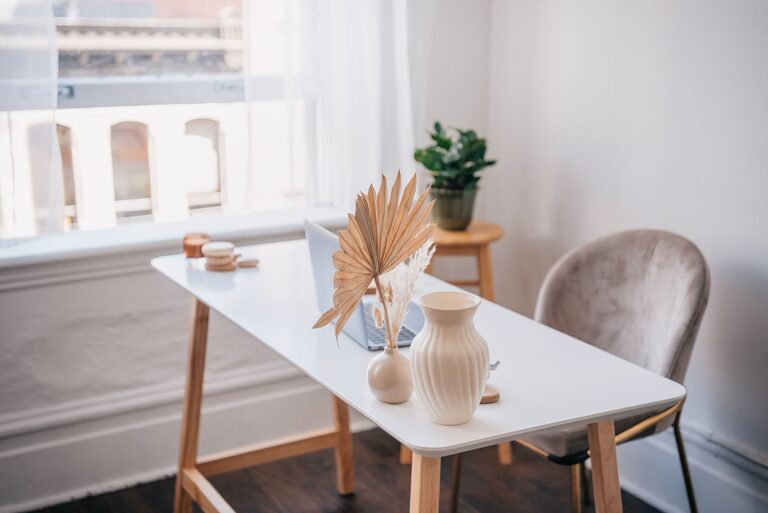
– Plants: Indoor plants improve air quality and add a calming vibe.
– Artwork or photos: Select images that inspire or relax you.
– Colors: Choose colors that help you feel energized or calm, depending on your preference.
Establish Good Lighting
Proper lighting reduces eye strain and improves overall comfort.
Lighting Tips:
– Position your desk near a window if possible.
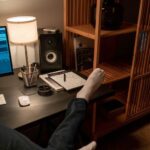
– Use adjustable desk lamps that provide focused light.
– Avoid glare on your screen by controlling window coverings or repositioning equipment.
Set Boundaries and Routine
Creating clear boundaries between work and personal life enhances productivity and well-being.
Suggestions for Boundaries:
– Define your working hours and stick to them.
– Communicate your schedule with family or roommates.
– Use your office space only for work during work hours to strengthen mental separation.
Prioritize Comfort and Breaks
Taking care of your physical and mental health is vital when working remotely.
Ways to Stay Comfortable:
– Take regular breaks to stretch or walk.
– Stay hydrated and keep healthy snacks nearby.
– Use reminders or apps to prompt movement and eye rest.
—
Creating an effective home office setup takes some planning but is rewarding. With the right environment, furniture, technology, and habits, you can enjoy a productive and comfortable remote work experience. Remember, your workspace should serve you—so make adjustments as needed and keep improving it over time.