








Creating a relaxing home workspace is essential for staying productive and motivated, especially when working remotely or managing tasks from home. A well-designed, calming environment can reduce stress, improve focus, and make working more enjoyable. Whether you have a dedicated room or just a corner of your home to set up, there are simple ways to transform your space into a productivity booster.
Why a Relaxing Workspace Matters
Your environment significantly impacts how you work. A cluttered or noisy space can distract you, making it difficult to concentrate. On the other hand, a peaceful, organized area helps your mind relax and supports sustained attention. When your workspace feels comfortable, you are more likely to maintain a positive attitude and work efficiently.
Choose the Right Spot
Natural Light Is Key
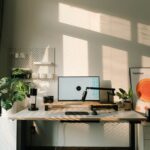
Try to set up your workspace near a window where you can get plenty of natural light. Sunlight improves mood and alertness, reduces eye strain, and helps regulate your sleep patterns.
Minimize Distractions
Select a quiet place where interruptions are minimal. If you share your home with others, consider using noise-cancelling headphones or a white noise machine to block out background sounds.
Ergonomics and Comfort
Invest in a Good Chair
Comfortable seating is crucial. Choose an ergonomic chair that supports good posture to prevent back and neck pain during long work sessions.
Desk Setup
Your desk should be at a height where your shoulders can relax and your wrists are straight while typing. Consider adjustable desks or monitor stands to get your screens at eye level.
Add Soothing Elements
Soft cushions, a cozy blanket, or an ergonomic footrest can increase comfort. Don’t underestimate the difference small comforts can make to your workday.
Organizational Tips
Declutter Regularly
Keep your workspace tidy by decluttering regularly. A clean area helps clear your mind and improves efficiency.
Use Storage Solutions
Use shelves, drawers, and organizers to keep supplies within reach but out of sight when not in use. This keeps the space visually calming.
Designate Zones
If your workspace is part of another room, use rugs or furniture placement to define your work area. This helps your brain switch into work mode.
Personalize Thoughtfully
Bring in Nature
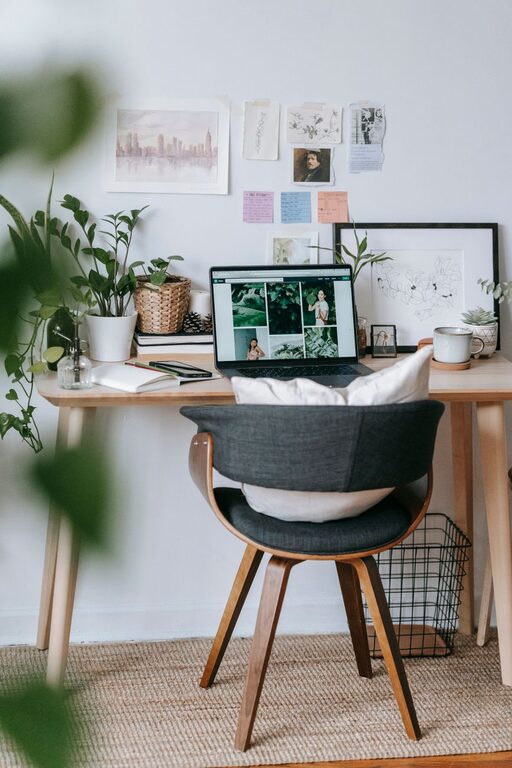
Add plants or flowers to your workspace. Greenery can reduce stress and increase productivity. Low-maintenance plants like succulents or pothos work well indoors.
Choose Calming Colors
Use soft, neutral colors for walls and decorations. Shades like light blue, green, or beige promote relaxation.
Add Inspiring Decor
Incorporate items that inspire you without cluttering, such as a motivational quote, family photo, or artwork.
Lighting and Ambience
Layer Your Lighting
Mix natural light with ambient and task lighting. A desk lamp with adjustable brightness helps reduce eye strain.
Control Noise Levels
Consider soft background music if it helps you focus. Quiet instrumental music or nature sounds can create a calm atmosphere.
Take Breaks and Move
Even in a relaxing workspace, taking regular breaks is important. Stand up, stretch, or walk around to refresh your mind and body. Use timers or apps as reminders.
Final Thoughts
Designing a relaxing home workspace is about creating an environment where you feel comfortable, focused, and motivated. Start small by organizing your desk and adding personal touches, then adjust lighting and seating for maximum comfort. With the right setup, you can transform your home office into a place where productivity and calm coexist effortlessly.